Guider is committed to making our platform accessible to users around the world. To support this, we offer multiple language versions, allowing you to navigate and use Guider in the language that best suits you.
Available Languages
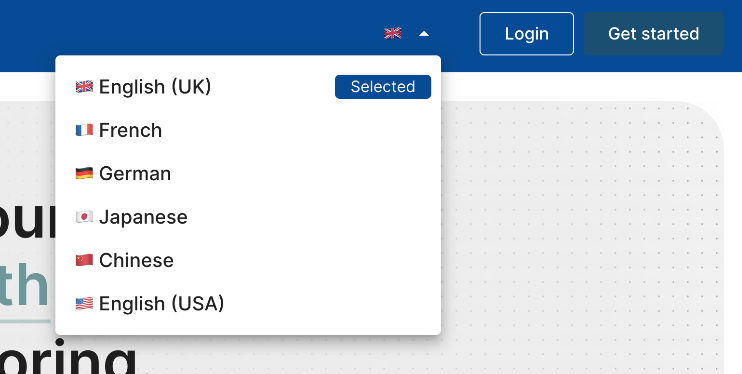
Guider currently supports eight languages: English (both British and American), Spanish, Italian, German, French, Japanese, and Chinese. We are continually expanding our language offerings to ensure that more users can access Guider in their preferred language.
Managing Language Versions
If you're interested in adding a new language for your organization, please contact your Customer Success Representative for assistance.
Selecting Your Language
Before Login/Registration: You can choose your preferred language by clicking the flag icon located in the top-right corner of the screen.
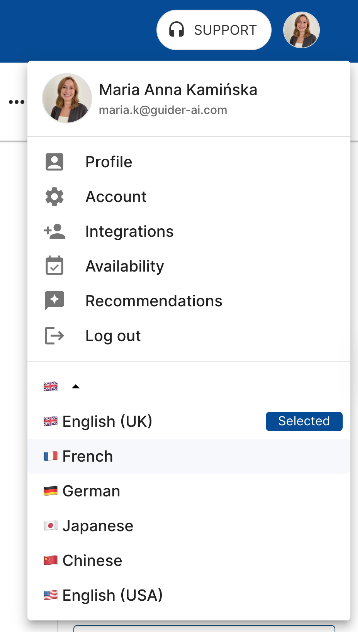
After Login/Registration: If you're already logged in, you can change the language by selecting the drop-down menu in the top-right corner. Available languages will be listed at the bottom of this menu.
Note:
If only one language is enabled for your organization, the option to switch languages will be disabled, and the flag icon will not appear.