Setting clear goals is an important part of getting the most out of your mentoring journey. Guider makes it easy to create, track, and share goals so you and your mentor can stay aligned.
To set and manage all your goals, go to My Progress > Goals. From here, you can create new goals, edit existing ones, add timelines, track progress, and share them with selected mentors.
Creating a New Goal
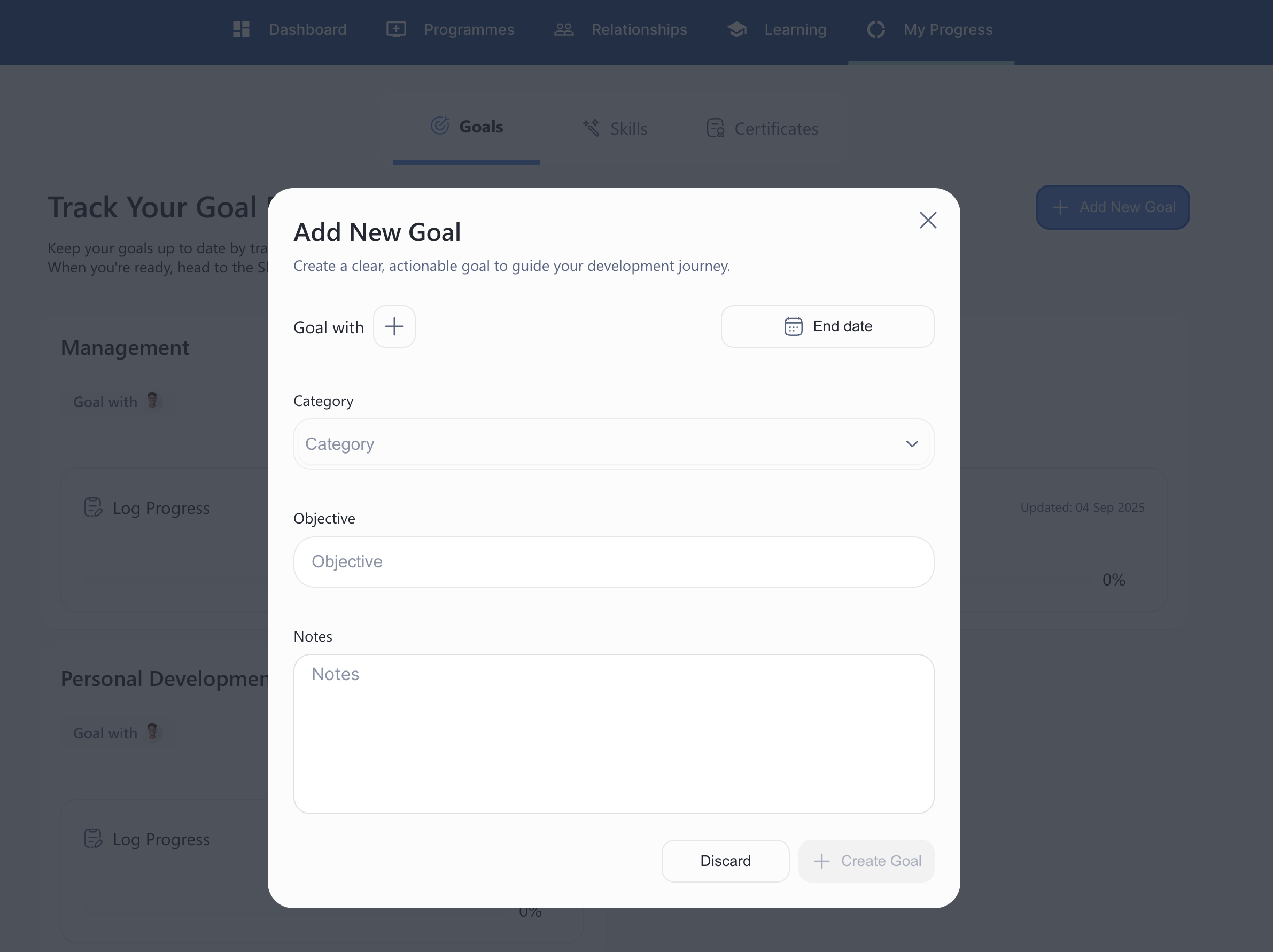
When you select Add New Goal, you’ll be asked to complete a few details to make your goal clear and actionable:Goal with: Link your goal to your mentor, so they can view and support your progress.
End date: Set a target completion date to stay accountable.
Category: Choose a category (e.g. Management, Personal Development) to organise your goals.
Objective: Write the specific outcome you want to achieve.
Notes: Add any extra context, steps, or resources that will help you (and your mentor) understand the goal.
Editing a Goal
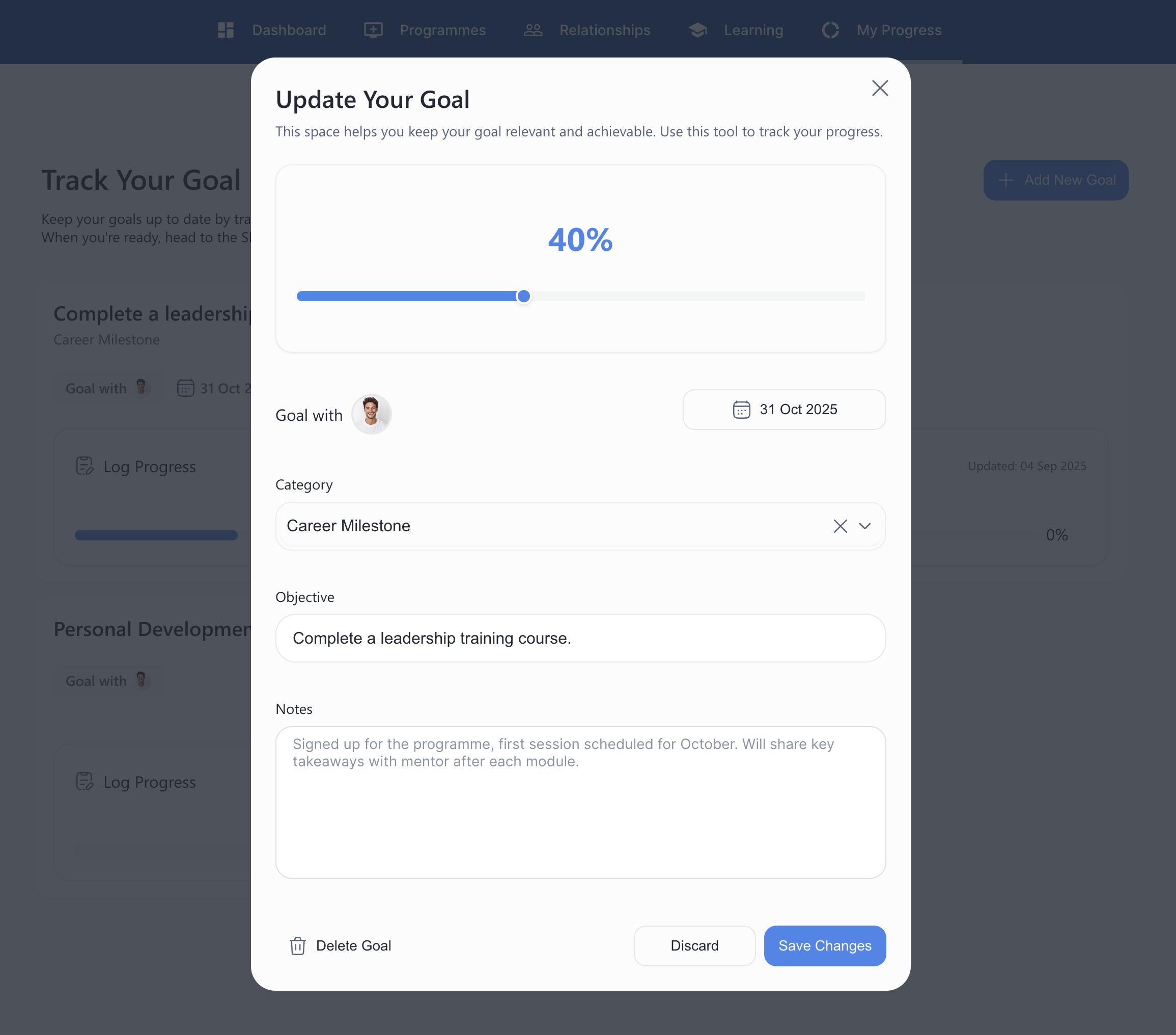
You can edit your goals at any time to keep them relevant and achievable. This includes updating progress, refining objectives, or adjusting timelines.When you open an existing goal, you’ll be able to:
Track progress: Use the slider at the top to log your progress in percentages (e.g. 25%, 50%).
Goal with: Confirm or update the mentor linked to this goal.
End date: Adjust the completion date if your timeline has changed.
Category: Update the category (e.g. Career Milestone, Personal Development, Skills Growth) to better reflect the goal.
Objective: Refine or rewrite the outcome you’re working towards.
Notes: Add updates, reflections, or next steps to keep both you and your mentor aligned.
Delete Goal: If the goal is no longer relevant, you can choose to remove it entirely.
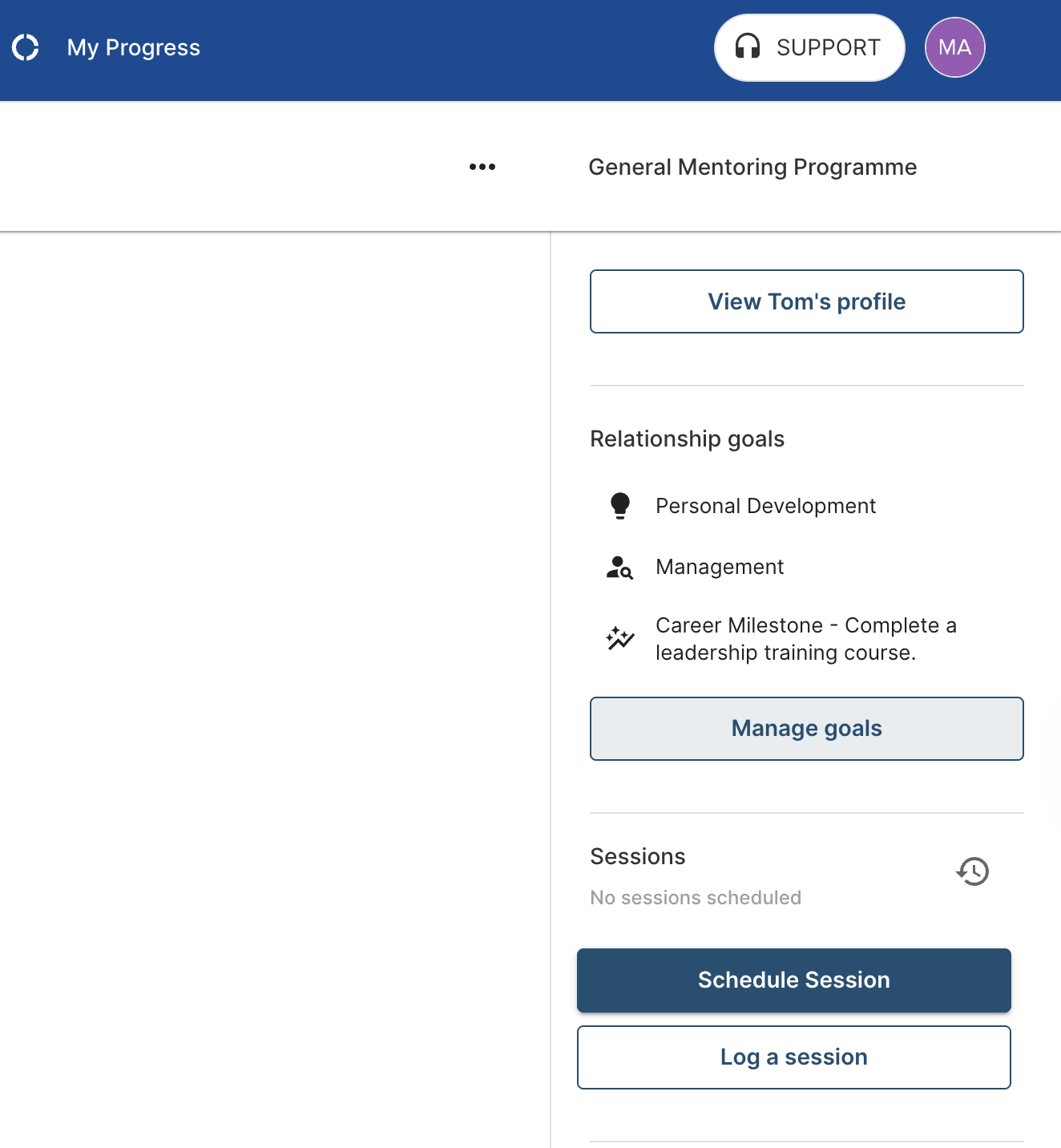
When viewing a specific relationship, you also have the option to add new goals or edit existing ones linked directly to that relationship.
By keeping your goals up to date, you’ll have a clear record of your progress and ensure both you and your mentor are working towards the outcomes that matter most to you.