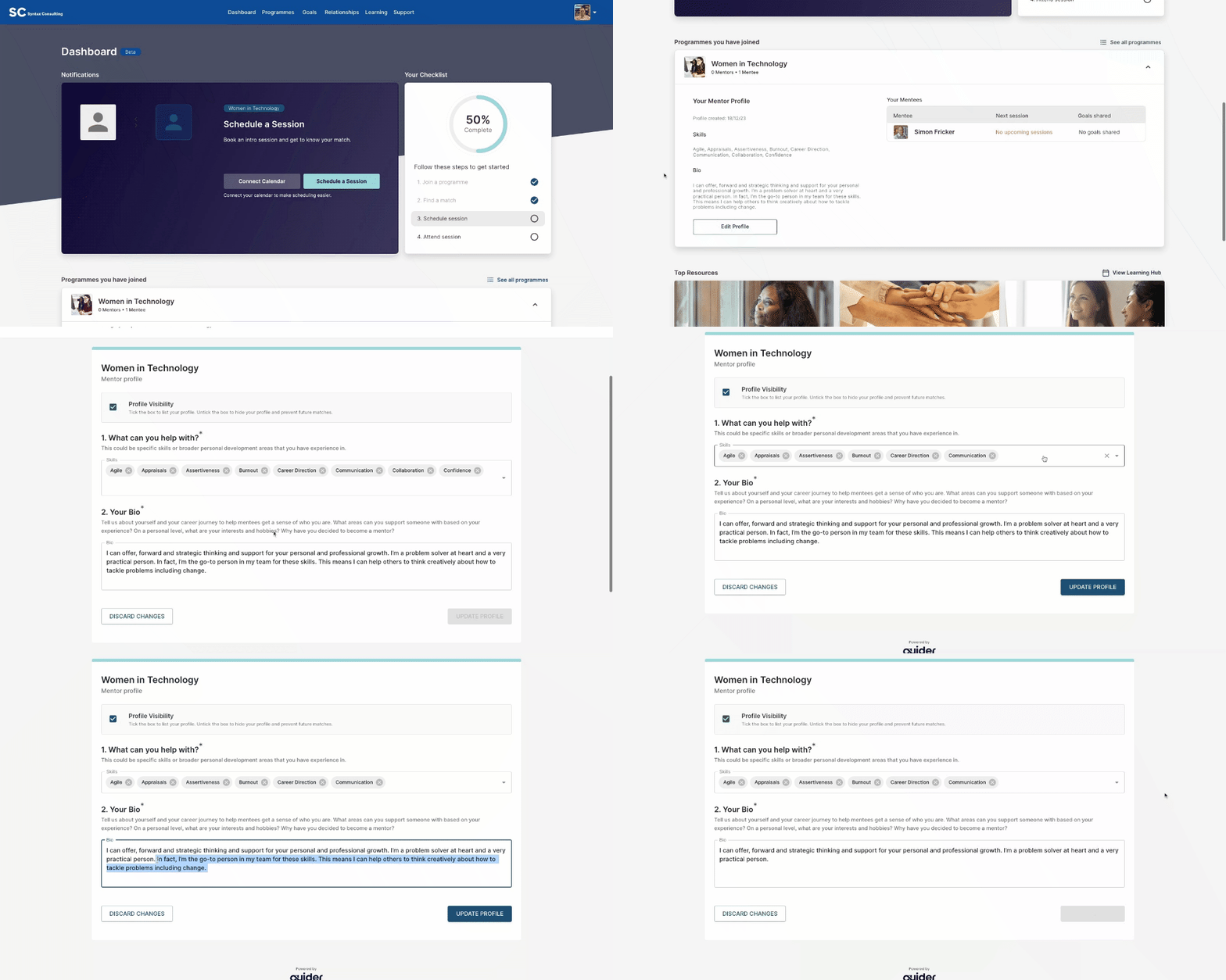
Follow the steps below to edit your mentor profile:
Login to your Guider account
Navigate to the dashboard tab
Select "edit profile": Look for the "edit profile" option underneath your notification dashboard.
Edit profile: Untick the box next to "profile visibility" at the top of your dashboard.
Update profile: select "update profile" at the bottom of the page to save your changes.